









seo is good
seo is good description
Read More→
Users decide whether to stay on your site or app within the first few seconds. A cluttered, inconsistent, or confusing interface makes even a great product look untrustworthy and sends people away. A professional UI design turns those critical seconds into a reason to stay, trust you, and act — it reduces friction, builds credibility, and guides users toward the actions that grow your business. The difference between a high-converting digital product and one that underperforms is often entirely in the interface.
At Monstizo, UI/UX design for websites and apps is built around one core principle: your interface should make it easy for users to do what you want them to do. Whether that's completing a purchase, signing up for a free trial, booking a service, or contacting your team — the design should guide that journey intuitively, without confusion or hesitation. That's what turns a Figma file into a genuine conversion rate optimization tool.
Users form a judgment about your digital product within the first few seconds of landing on it. Poor visual hierarchy, inconsistent styling, or an unclear page structure immediately signals low quality — even when your actual product is excellent. A mobile-first UI design that's thoughtfully crafted gives you the credibility and clarity to keep users engaged, reduce bounce rates, and make a lasting first impression.
Ordering a custom UI design is the right decision for any brand that's serious about its digital presence. Custom means your interface is built for your brand, your users, and your conversion goals — not adapted from a generic template that looks like a dozen other products. Every design decision is intentional, and every screen serves a purpose.
All designs are created in Figma and delivered in an organized, component-based format — clean, layered, and developer-friendly so handoff is seamless and implementation is accurate.
Every project is built from scratch around your brand identity, business model, target audience, and market position. You won't see your design somewhere else.
CTAs, forms, key user flows, and page structure are designed to increase conversions — more purchases, more signups, more inquiries — not just to look good.
With the majority of web traffic coming from mobile devices, we design for phones first. Your interface will look and feel professional on every screen size from the start.
In website UI design and app interface design, beauty and function aren't in conflict — they reinforce each other. At Monstizo, we design interfaces where every creative decision serves a commercial purpose. The result is a digital product that looks great, works intuitively, and performs measurably better for your business.
A UI performs best when it's aligned with your brand identity, which makes pairing it with your logo design worthwhile. You can also see pricing for corporate, e-commerce, and application projects in the pricing section on this page.
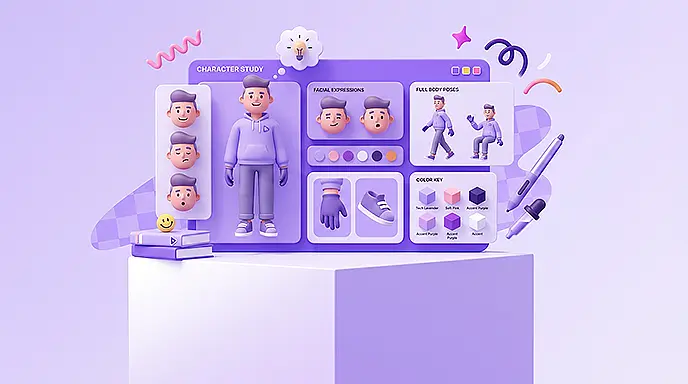
Selected desktop UI design projects for websites and dashboards with a professional and user-centered structure.


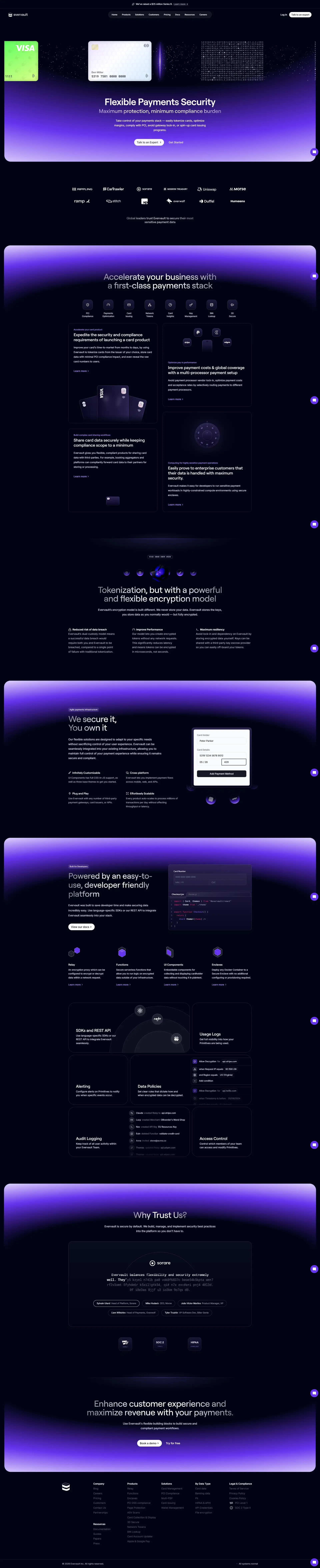


Selected mobile UI design projects for applications focused on simplicity, accessibility, and smooth user experience.






Current year service pricing
| Design Type | Pages | Delivery | Price |
|---|---|---|---|
| Corporate | 5 to 7 | Figma | $190 |
| E-commerce | 7 to 11 | Figma | $278 |
| Application | 7 to 15 | Figma | $300 |
User Interface Design (UI) determines the quality of every interaction a user has with your digital product. It's the colors, typography, component layout, spacing, and visual language that users experience from the moment they land on your site or open your app. When it's done well, it builds instant trust and makes everything feel effortless. When it's done poorly, users leave — often within seconds — and they rarely explain why.
In professional UI design, the goal isn't visual beauty for its own sake. It's designing a digital environment that guides users clearly, communicates your brand identity with confidence, and removes every unnecessary obstacle between your user and the action you want them to take. That's the standard we hold every project to.
Ready-made templates might look acceptable in a preview, but they rarely reflect what makes your brand distinctive. They're built for everyone, which means they're optimized for no one. Custom UI design builds your interface around your specific users, your conversion goals, and your brand identity — creating a digital product that actually performs rather than just existing.
When UI design for your website or app is handled with real commercial intent, the output becomes more than a graphic file. It becomes an asset that drives growth, improves user experience, and increases your conversion rate. Here's what's built into every project we deliver.
Every project is produced in Figma — the industry standard for professional UI design — with organized components, clean layers, and developer-ready handoff files.
Every design decision — color, type, spacing, component hierarchy — is made with your brand identity, target audience, and business goals in mind. No default choices.
After the initial presentation, you review, give feedback, and we refine. We iterate until the design is exactly aligned with your vision and approved for development.
Colors, components, icons, and layout structures are organized as a reusable design system — making future updates, new pages, and feature additions significantly faster and cheaper.
On any commercial, e-commerce, or service website, the interface design directly shapes user behavior. A professional website UI design isn't passive — it actively directs attention, creates hierarchy, and builds the kind of confidence that turns a visitor into a customer.
App UI design demands a higher level of precision than web design because every pixel of screen space matters more. Mobile users are less patient, more distracted, and navigating with their thumbs — which means your interface needs to be intuitive, fast to understand, and completely free of visual confusion.
In mobile UI design, we follow iOS and Android design guidelines, optimize tap targets, minimize cognitive load, and create a consistent visual language that makes users feel immediately at home in your app. A well-designed mobile app feels effortless — and that's not an accident.
UI is often treated as a cosmetic concern, but the data says otherwise. Interface quality is one of the most significant factors in conversion rate, bounce rate, session duration, and customer lifetime value. When users land on an interface that feels professional, organized, and trustworthy, they stay longer, engage more, and convert at a higher rate.
| Benefit | Business Impact |
|---|---|
| Higher conversion rate | More purchases, signups, and inquiries from the same traffic |
| Lower bounce rate | Users stay longer and explore more of your product or service |
| Faster trust building | A professional interface communicates quality and credibility immediately |
| Competitive differentiation | A distinctive, custom interface separates you from template-based competitors |
| Reduced user confusion | Clearer navigation and hierarchy mean fewer support requests and abandonments |
Every great UI starts with understanding. Our design process is structured to move efficiently from brief to final files while keeping you informed and in control at every stage.
| Stage | Description | Output |
|---|---|---|
| Consultation and brief | Understanding your business model, user goals, competitors, and conversion priorities | Agreed design direction and scope |
| Wireframes and information architecture | Mapping page structure, content hierarchy, and user flow before any visual design begins | Structural page blueprints |
| UI design execution | Building the full visual design in Figma — colors, typography, components, and layout | Complete UI screens in Figma |
| Prototype and review | Interactive clickable prototype for review, user testing, and stakeholder approval | Approved final design |
| Developer handoff | Organized, annotated, component-ready Figma files delivered for implementation | Production-ready design system for your development team |
A professional UI design achieves several goals simultaneously: visual clarity, brand alignment, mobile-first responsiveness, accessibility, and scalability. When these principles are applied consistently, your digital product doesn't just look great — it performs measurably better.
In UI design, the tools shape the output quality. Working in industry-standard tools ensures that your final files are practical for development, maintainable over time, and collaborative across your team.
The standard for professional UI design — ideal for design systems, component libraries, team collaboration, and precise developer handoff with accurate specs.
Clickable prototypes let you test user flows and interactions before any code is written — reducing costly development changes later.
Organized, reusable components make development faster and more consistent — and make future design updates dramatically simpler.
Annotated specs, exported assets, and clear layer organization eliminate ambiguity for your engineering team and reduce implementation time.
UI and UX are closely connected but serve different purposes. UX (User Experience) design focuses on structure, user flows, logic, and problem-solving — the architecture of how a product works. UI design handles the visual layer — colors, typography, components, and the overall aesthetic feel of each screen. In practice, the best digital products are built when both disciplines are designed in coordination, which is exactly how we approach every project.
| Comparison | UI Design | UX Design |
|---|---|---|
| Primary focus | Visual appearance and brand expression | User logic, journey, and ease of use |
| Goal | Clarity, attractiveness, and brand identity on every screen | User satisfaction and efficient task completion |
| Key question | Does this screen look professional and trustworthy? | Can the user achieve their goal without confusion? |
| Output | Colors, fonts, buttons, components, icons, and final visual design | Wireframes, flows, information architecture, and interaction logic |
UI design pricing depends on the scope and complexity of your project. More screens, a more complete design system, greater interaction complexity, and mobile version design all add to the time and investment required. Here's a clear breakdown of what drives cost.
| Factor | Explanation |
|---|---|
| Number of screens | More pages and states mean more design time and more components to build |
| Project type | E-commerce, SaaS, mobile apps, and landing pages each have different design requirements |
| Customization level | Fully custom design systems require more research, iteration, and detail than template-based work |
| Prototype requirement | Clickable, interactive prototypes extend the project scope but significantly improve review quality |
| Delivery timeline | Accelerated timelines for product launches or A/B testing are available at different pricing conditions |
If you are looking for a professional way to present your services, build audience trust, and increase sales, contact us via WhatsApp or Telegram and place your UI Design order. We are ready to offer the best solution based on your brand needs and budget.
Answers to common questions about UI design, the design process, pricing, and project timelines.
At Manstizo, all UI design projects are created in Figma so the final output is fully standardized for review, development, and implementation. After the project is completed, the source file link along with necessary assets such as icons, images, style guides, and design components is delivered to you, allowing the development team to implement the interface accurately.
UI design pricing depends on several factors such as the number of unique pages, project type, level of customization, page complexity, and the need for specific features such as interactive states or prototypes. At Manstizo, pricing plans are designed to support everything from startups to large-scale and enterprise projects, allowing clients to choose based on their needs and budget.
Yes, revisions are possible. Throughout the design process, different stages are coordinated with you, and after the initial version is presented, a specific revision window is considered. The goal is to ensure the final result is fully approved in terms of appearance, structure, and alignment with your brand needs.
The delivery time for a UI design project depends on its size and complexity. A custom landing page UI usually takes between 5 to 7 business days. For larger projects such as app UI design, user dashboards, or multiple custom pages, the project timeline is usually between 15 and 25 business days.
The latest content and practical tips on content creation and digital brand growth.